
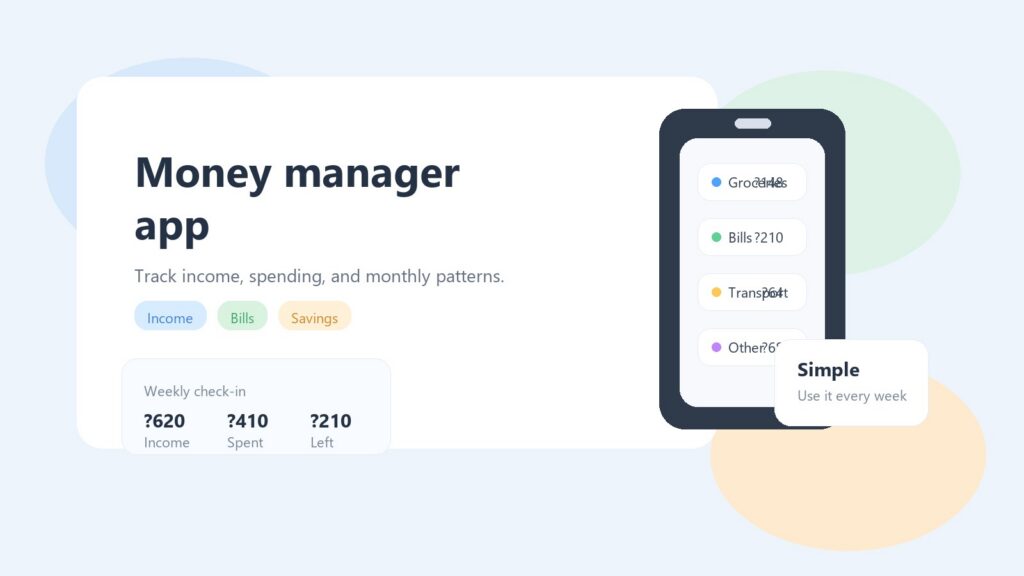
Eine Geldmanager-App kann alltägliche Ausgaben leichter verständlich machen, insbesondere wenn Ihr Geld in kleinen Stücken bei Lebensmitteln, Abonnements, Kraftstoff, Kaffee, Essen zum Mitnehmen und zufälligen Kartenzahlungen zu verschwinden scheint.
Die meisten Menschen brauchen kein kompliziertes Finanzsystem. Sie benötigen einen klaren Ort, an dem sie sehen können, was eingegangen ist, was ausgegeben wurde und was Aufmerksamkeit erfordert, bevor der Monat knapp wird.
Das ist der wahre Wert eines guten Geldwerkzeugs. Es sollte nicht dazu führen, dass Sie sich schuldig fühlen. Es soll Ihnen helfen, Muster früh genug zu erkennen, um bessere Entscheidungen zu treffen.
Warum eine Geldmanager-App im Alltag hilft
Geldprobleme beginnen oft nicht mit einem großen Fehler. Sie bauen sich normalerweise langsam auf.
Sie kaufen Lebensmittel zweimal in einer Woche ein. Ein Abonnement verlängert sich. Das Auto braucht Treibstoff. Ein Geburtstagsgeschenk steht an. Dann fühlt sich eine kleine Online-Bestellung harmlos an, weil sie nur ein paar Dollar kostet. Am Ende des Monats entsprechen die Zahlen nicht mehr Ihren Erwartungen.
Hier kommt eine Geldmanager-App zum Einsatz. Es verwandelt verstreute Ausgaben in etwas Sichtbares.
Offizielle Anleitung zu MyMoney.gov und das Budget-Arbeitsblatt von Consumer.gov Verweisen Sie auf die gleiche praktische Idee: Schauen Sie sich an, was reinkommt, was rausgeht und was Ihren Plan vom Kurs abbringt.
Eine einfache App kann Ihnen bei der Beantwortung praktischer Fragen helfen:
- Wie viel habe ich diesen Monat für Essen ausgegeben?
- Summen sich kleine Kartenzahlungen?
- Welche Ausgaben wiederholen sich jeden Monat?
- Gebe ich mehr aus, als ich verdiene?
- Kann ich vor Monatsende Geld beiseite legen?
Das Ziel besteht nicht darin, jeden Cent für immer zu kontrollieren. Ziel ist es, nicht mehr überrascht zu werden.
Was eine Geldmanager-App eigentlich leisten sollte
Eine nützliche Geldmanager-App sollte die persönliche Geldverwaltung einfacher und nicht schwerer machen.
Einige Finanztools versuchen, alles zu tun. Sie stellen eine Verbindung zu Konten her, erstellen Diagramme, zeigen Investitions-Dashboards an, prognostizieren zukünftige Ausgaben und senden kontinuierlich Benachrichtigungen. Für manche Menschen kann das hilfreich sein, es kann aber auch zu viel werden.
Für alltägliche Benutzer ist das beste Werkzeug oft das, das sie weiterhin verwenden können.
Verfolgen Sie Einnahmen und Ausgaben übersichtlich
Auf der einfachsten Ebene sollten Sie mit einer Geldmanager-App Geldein- und -ausgänge erfassen können.
Zu den Einkünften können Gehälter, freiberufliche Zahlungen, Nebenjobs, Sozialleistungen oder geteilte Haushaltsbeiträge gehören. Zu den Ausgaben können Miete, Hypothek, Nebenkosten, Lebensmittel, Transport, Versicherung, Abonnements, medizinische Kosten, Essen gehen und persönliche Einkäufe gehören.
Diese Grundstruktur ist leistungsstark, da sie Ihnen ein echtes Monatsbild vermittelt. Ohne sie kennen Sie möglicherweise nur Ihren heutigen Kontostand, nicht aber den Grund, warum er sich geändert hat.
Zeigen Sie, wo sich kleine Ausgaben summieren
Viele Menschen kennen bereits ihre hohen Fixkosten. Miete, Hypothekenzahlungen, Kfz-Versicherung und Internetrechnungen sind kaum zu übersehen.
Der schwierigere Teil sind kleine Ausgaben.
Eine Ausgaben-App hilft, weil sie diese kleinen Zahlungen in Kategorien gruppiert. Ein Kaffee ist kein Problem. Mehrere Kaffeespezialitäten, Snacks, Lieferaufträge und schnelle Einkäufe könnten zu einem Muster werden, das es wert ist, bemerkt zu werden.
Das bedeutet nicht, dass Sie sich niemals an kleinen Dingen erfreuen sollten. Es bedeutet einfach, dass diese Entscheidungen sichtbar sein sollten.
Halten Sie die Kategorien einfach
Für eine gute Geldverfolgung sind keine 40 Kategorien erforderlich.
Tatsächlich können zu viele Kategorien dazu führen, dass jemand aufgibt. Ein praktischer Aufbau könnte Folgendes umfassen:
- Gehäuse
- Essen
- Transport
- Rechnungen
- Abonnements
- Gesundheit
- Familie
- Einkaufen
- Ersparnisse
- Andere
Sie können später jederzeit weitere hinzufügen. Am Anfang ist Klarheit wichtiger als Details.
Erleichtern Sie die Wiederholbarkeit der Budgetierung
Ein Budget ist nicht etwas, das man einmal erstellt und dann vergisst. Das wirkliche Leben verändert sich.
Für einige Monate fallen Schulkosten an. Einige haben Autoreparaturen. Einige haben Feiertage, Geschenke, Arztrechnungen oder einen höheren Energieverbrauch. Ein guter Spesen-Tracker sollte es Ihnen erleichtern, Ihren Plan zu aktualisieren, wenn sich das Leben ändert.
Das ist die nützliche Einstellung: In diesem Monat lernen Sie, wie Sie mit dem nächsten Monat besser umgehen können.
Geldmanager-App vs. Finanz-Tracker vs. Spesen-Tracker
Diese Begriffe überschneiden sich oft, sind aber nicht genau gleich.
Eine Geldmanager-App ist normalerweise der weiteste Begriff. Es hilft Ihnen, Einnahmen, Ausgaben, Budgets und manchmal auch Sparziele zu verwalten.
Ein Finanz-Tracker kann einen umfassenderen Blick auf Ihr Finanzleben beinhalten. Einige Finanz-Tracker-Tools konzentrieren sich auf Konten, Berichte, Cashflow, Investitionen oder langfristige Planung.
Ein Spesen-Tracker ist fokussierter. Es erfasst hauptsächlich die Ausgaben, sodass Sie sehen können, wohin Ihr Geld geflossen ist.
Eine Ausgaben-App ist in der Regel ein einfaches Tool zum Protokollieren und Überprüfen täglicher Einkäufe.
Für die meisten Alltagsnutzer kommt es bei der besten Wahl nicht auf das Etikett an. Es geht um die Gewohnheit, die das Tool unterstützt.
Wenn Sie einen umfassenderen Blick auf diese Blickwinkel wünschen, besuchen Sie unsere Leitfaden zum Finanz-Tracker Und Artikel zur Ausgaben-App Erweitern Sie dieselben Alltagsmuster aus einem etwas anderen Blickwinkel.
Wenn Sie hauptsächlich verstehen möchten, wohin Ihr Geld fließt, wählen Sie etwas Einfaches. Wenn Sie Investitionsanalysen, Steuerberichte oder Unternehmensbuchhaltung benötigen, benötigen Sie möglicherweise ein erweitertes Tool.
Aber wenn es um Haushaltsgelder, persönliche Ausgaben und monatliche Planung geht, gewinnt in der Regel das Einfache.
So verwenden Sie eine Geldmanager-App, ohne sie zu komplizieren
Der größte Fehler besteht darin, vom ersten Tag an ein perfektes System aufbauen zu wollen.
Ein perfektes System nützt nichts, wenn man es nach einer Woche nicht mehr nutzt. Ein einfaches System, das Sie regelmäßig aktualisieren, ist viel besser.
Beginnen Sie mit einem normalen Monat
Beginnen Sie mit der Verfolgung eines normalen Monats.
Versuchen Sie nicht, alles sofort zu reparieren. Notieren Sie einfach, was passiert. Fügen Sie Einkommen, feste Rechnungen, Lebensmittel, Transport, Abonnements und gelegentliche Ausgaben hinzu.
In diesem ersten Monat geht es nicht um ein Urteil. Es geht um Entdeckung.
Möglicherweise stellen Sie fest, dass die Lebensmittelkosten höher sind als erwartet. Möglicherweise finden Sie Abonnements, die Sie vergessen haben. Sie sehen vielleicht, dass die Wochenendausgaben der eigentliche Druckpunkt sind.
Diese Informationen sind nützlich, da sie auf Ihrem tatsächlichen Leben basieren.
Verwenden Sie Kategorien, die zu Ihrem wirklichen Leben passen
Ihre Kategorien sollten sich natürlich anfühlen.
Beispielsweise benötigt jemand, der täglich Auto fährt, möglicherweise eine separate Kraftstoff- oder Fahrzeugkategorie. Ein Elternteil möchte möglicherweise die Kategorien Schule, Kinderbetreuung oder Familie. Jemand, der häufig Essen bestellt, möchte möglicherweise den Lebensmitteleinkauf vom Essen auswärts trennen.
Kopieren Sie kein kompliziertes System, wenn es nicht zu Ihnen passt.
Eine Geldmanager-App sollte sich an Ihre Gewohnheiten anpassen und Sie nicht in Kategorien zwingen, die Sie nie verwenden.
Überprüfen Sie Muster, nicht jeden kleinen Fehler
Das Verfolgen von Geld sollte nicht zur täglichen Strafe werden.
Anstatt sich über jeden kleinen Einkauf Gedanken zu machen, suchen Sie nach Mustern.
Vielleicht sind Ihre Lebensmittelausgaben angemessen, aber die Liefermahlzeiten sind zu hoch. Vielleicht sind Ihre Abonnements in Ordnung, aber Impulskäufe nehmen zu. Vielleicht sind Ihre Festrechnungen stabil, aber unregelmäßige Ausgaben überraschen Sie immer wieder.
Muster lassen sich leichter beheben als vage Schuldgefühle.
Passen Sie sich langsam an
Wenn Sie ein Problem feststellen, nehmen Sie eine realistische Änderung vor.
Zum Beispiel:
- Kündigen Sie ein ungenutztes Abonnement.
- Legen Sie ein wöchentliches Essenslimit fest.
- Sparen Sie direkt nach dem Zahltag.
- Legen Sie einen kleinen monatlichen Puffer für unregelmäßige Kosten an.
- Überprüfen Sie jeden Sonntagabend Ihre Ausgaben.
Kleine Änderungen lassen sich leichter beibehalten. Sie haben auch weniger Lust auf Bestrafung.
Worauf Sie bei einer einfachen Ausgaben-App achten sollten
Eine gute Ausgaben-App sollte sich nach den ersten paar Anwendungen einfach anfühlen.
Hier sind die Funktionen, die für die tägliche persönliche Geldverwaltung am wichtigsten sind.
Schneller Einstieg: Wenn das Hinzufügen einer Ausgabe zu lange dauert, können Sie dies vermeiden. Mit der App sollten Sie Ihre Ausgaben schnell erfassen können.
Klare Kategorien: Sie sollten in der Lage sein, Ihre Ausgaben zu verstehen, ohne dass Sie über Finanzkenntnisse verfügen müssen.
Monatsübersicht: Eine gute App sollte Ihnen helfen, den Monat als Ganzes zu sehen, nicht nur eine Transaktion nach der anderen.
Einfache Budgetansicht: Sie sollten in der Lage sein, die geplanten Ausgaben mit den tatsächlichen Ausgaben zu vergleichen.
Geringe Reibung: Die beste App ist die, die in das normale Leben passt. Wenn es sich wie eine Hausaufgabe anfühlt, wird es wahrscheinlich nicht von Dauer sein.
Nützliche Struktur: Sie sollten in der Lage sein, Wesentliches, flexible Ausgaben und Ersparnisse zu trennen.
Sicherheit und Datenschutz sind ebenfalls wichtig. Bevor Sie ein Finanztool verwenden, prüfen Sie, nach welchen Informationen es fragt und ob Sie diese gerne weitergeben möchten. Manche Menschen bevorzugen die manuelle Nachverfolgung, weil sie dadurch die Kontrolle haben, ohne Bankkonten zu verknüpfen.
Häufige Fehler, die Menschen bei der Geldverfolgung machen
Die Geldverfolgung ist einfach, aber es ist leicht, sie schwieriger als nötig zu machen.
Ein häufiger Fehler besteht darin, zu viele Details zu früh zu erfassen. Wenn Sie zu viele Kategorien erstellen, wird jeder Kauf zu einer Entscheidung. Das verlangsamt dich.
Ein weiterer Fehler besteht darin, nur Fehlausgaben zu verfolgen. Wenn Sie Barzahlungen, kleine Einkäufe oder geteilte Ausgaben auslassen, wird Ihr monatliches Bild unvollständig.
Ein dritter Fehler besteht darin, die App wie einen Richter zu behandeln. Die App ist nicht dazu da, Sie zu beschämen. Es dient dazu, Informationen klar darzustellen.
Man vergisst auch unregelmäßige Ausgaben. Dazu gehören Autowartung, Jahresversicherung, Geschenke, Reparaturen, Schulkosten, Arztrechnungen und Reisen. Sie passieren zwar nicht jeden Monat, wirken sich aber dennoch auf Ihr Geld aus.
Ein besserer Ansatz besteht darin, eine kleine Kategorie für unregelmäßige Kosten zu erstellen. Selbst wenn Sie die genaue Menge nicht kennen, können Sie durch die entsprechende Planung den Stress reduzieren.
Wo OneKitPlus Budget hineinpasst
Für Benutzer, die eine einfache und praktische Möglichkeit zur Geldverfolgung suchen, OneKitPlus Budget ist das relevanteste OneKitPlus-Tool für dieses Thema.
Es eignet sich für den alltäglichen Anwendungsfall: Ausgaben verfolgen, Ausgaben organisieren und die persönliche Budgetierung klar halten, ohne daraus ein komplexes Finanzprojekt zu machen.
Das ist wichtig, denn viele Menschen scheitern nicht an der Budgetierung, weil sie nachlässig sind. Sie scheitern, weil das von ihnen gewählte System zu schwer zu warten ist.
Eine einfache Geldmanager-App funktioniert am besten, wenn sie Ihnen dabei hilft, eine wiederholbare Gewohnheit aufzubauen:
- Einkommen hinzufügen.
- Erfassen Sie die Ausgaben.
- Überprüfen Sie die Kategorien.
- Überprüfen Sie, was sich geändert hat.
- Nächsten Monat anpassen.
OneKitPlus bietet außerdem weitere praktische Tools für den Alltag. Das Wichtigste OneKitPlus Apps-Seite umfasst Tools, die für einfache Alltagsaufgaben konzipiert sind, nicht für komplizierte Arbeitsabläufe.
Wenn Ihre Ausgaben Fahrzeugkosten umfassen, finden Sie möglicherweise auch die OneKitPlus Car Expenses App Nützlich für die Kraftstoff-, Reparatur- und Wartungsverfolgung. Wenn Sie die Autokosten getrennt halten, kann Ihr Hauptbudget leichter lesbar sein.
Eine einfache wöchentliche Routine für das persönliche Geldmanagement
Sie müssen Ihr Budget nicht stündlich überprüfen.
Für viele Menschen reicht eine wöchentliche Routine aus.
Wählen Sie einen Tag, idealerweise jede Woche den gleichen Tag. Sonntagabend oder Montagmorgen funktionieren gut, weil Sie so einen klaren Blick auf die kommende Woche haben.
Fügen Sie zunächst alle fehlenden Ausgaben hinzu. Dann überprüfen Sie Ihre Hauptkategorien. Schauen Sie sich Lebensmittel, Transport, Abonnements, Einkäufe und ungewöhnliche Kosten an.
Vergleichen Sie als Nächstes Ihre Ausgaben mit Ihrem Plan. Wenn eine Kategorie bereits hoch ist, entscheiden Sie, was Sie vor Monatsende anpassen können.
Schauen Sie sich abschließend die anstehenden Ausgaben an. Sind bald Rechnungen fällig? Steht ein Geburtstag, eine Reparatur, eine Reise oder eine Jahreszahlung an?
Diese Routine kann einige Minuten dauern, hilft aber, die häufige Überraschung am Monatsende zu vermeiden.
Letzte Gedanken
Eine Geldmanager-App soll Ihr Finanzleben klarer und nicht stressiger machen.
Das beste Tool ist nicht immer das mit den meisten Funktionen. Für viele Menschen ist das beste Tool dasjenige, das die Ausgaben sichtbar macht, die Kategorien einfach hält und ihnen hilft, jeden Monat gute Gewohnheiten zu wiederholen.
Beginnen Sie mit einem Monat. Verfolgen Sie ehrlich. Suchen Sie nach Mustern. Nehmen Sie ein oder zwei Änderungen vor. Dann wiederholen.
Das reicht aus, um eine bessere Kontrolle über das alltägliche Geld zu erlangen, ohne persönliche Finanzen zu einem Zweitjob zu machen.
FAQ
Was ist eine Geldmanager-App?
Eine Geldmanager-App ist ein Tool, mit dem Sie Einnahmen, Ausgaben, Budgets und manchmal auch Sparziele verfolgen können. Sein Hauptzweck besteht darin, Ihr Geld leichter verständlich zu machen.
Ist eine Geldmanager-App dasselbe wie ein Spesen-Tracker?
Nicht immer. Ein Spesen-Tracker erfasst hauptsächlich Ausgaben. Eine Geldmanager-App kann auch Budgetierung, Einkommensverfolgung, Kategoriezusammenfassungen und Monatsplanung umfassen.
Wie oft sollte ich eine Ausgaben-App aktualisieren?
Für die meisten Menschen reicht ein bis zwei Mal pro Woche. Der Schlüssel ist Konsistenz. Wenn Sie zu lange warten, wird es schwieriger, sich an kleine Einkäufe zu erinnern.
Muss ich jeden einzelnen Einkauf verfolgen?
Am Anfang hilft es ja, einen Monat lang so viel wie möglich zu tracken. Danach können Sie sich mehr auf Muster und Kategorien konzentrieren.
Was ist der einfachste Weg, mit der persönlichen Geldverwaltung zu beginnen?
Beginnen Sie damit, die Einnahmen und Ausgaben eines normalen Monats zu erfassen. Versuchen Sie nicht, alles sofort zu reparieren. Verstehen Sie zunächst, wohin Ihr Geld fließt.
Versuchen OneKitPlus Budget Wenn Sie eine einfache Möglichkeit suchen, Ausgaben zu verfolgen, Kategorien zu organisieren und eine monatliche Geldroutine zu erstellen, können Sie diese weiterhin verwenden.