
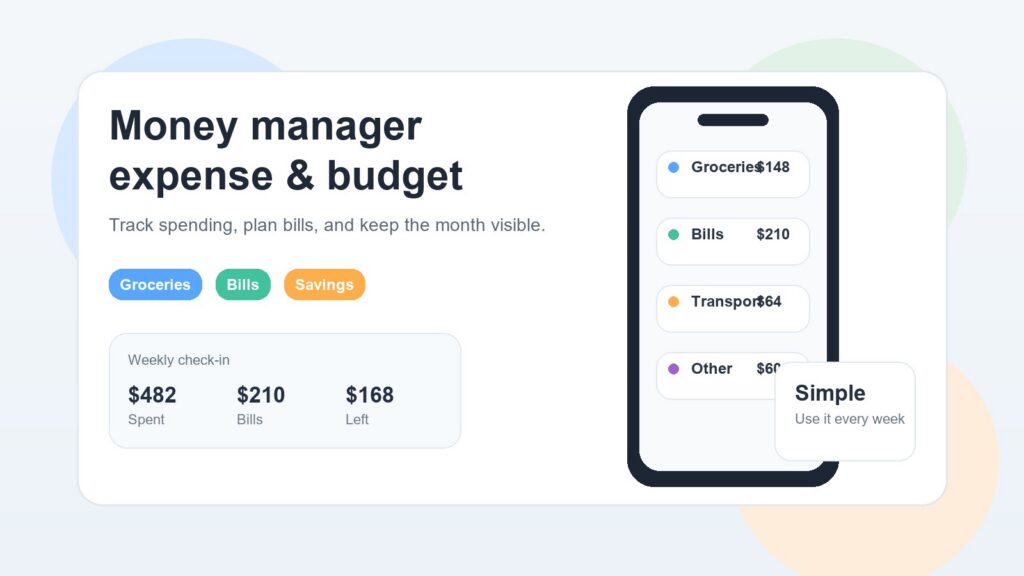
Money manager expense & budget habits are not about becoming obsessed with every cent; they are about finally seeing where your money goes before the month runs away from you.
Most people do not overspend because they are careless. They overspend because everyday costs are easy to underestimate. A coffee here, a delivery fee there, one small subscription, a few unplanned grocery extras, and suddenly the number in your bank account feels lower than expected.
That is where a simple system helps. You do not need a complicated finance dashboard. You need a clear way to record expenses, understand your spending patterns, and make better choices before your next bill arrives.
A good budget does not judge you. It gives you visibility.
Official money guidance on MyMoney.gov and the budget worksheet from Consumer.gov follow the same practical idea: look at what comes in, what goes out, and what keeps pulling your plan off course.
Why money manager expense & budget habits matter
For everyday users, practical clarity matters more than advanced financial theory. A useful money tool should answer simple questions:
- Can I afford this this week?
- Where did my money go this month?
- Which expenses keep surprising me?
- What should I adjust next month?
Once you can answer those questions, budgeting becomes less stressful.
What a money manager app should actually help you do
A money manager app should make your financial life easier to understand. It should not make you feel like you need a finance degree to manage groceries, fuel, rent, subscriptions, and weekend spending.
The best tools usually do three things well: record expenses, organize them clearly, and show patterns you can act on.
Track real spending, not perfect spending
Many people start budgeting with unrealistic expectations. They create too many categories, promise to enter every receipt instantly, and then stop using the app after a week.
A better approach is to track real spending in a way you can maintain.
For example, you might use broad categories such as:
- Groceries
- Eating out
- Transport
- Bills
- Home
- Health
- Personal
- Subscriptions
- Savings
This gives you enough detail without turning every purchase into homework.
If you buy groceries, pet food, and cleaning products in one supermarket trip, you do not always need to split the receipt into five micro-categories. Sometimes “Groceries and household” is good enough.
The goal is not perfect accounting. The goal is useful awareness.
Separate fixed costs from flexible spending
A strong budget starts by separating fixed costs from flexible spending.
Fixed costs are the expenses that usually repeat: rent, mortgage, insurance, internet, phone plan, loan payments, subscriptions, and utilities.
Flexible spending changes more often. This includes groceries, restaurants, fuel, clothing, entertainment, gifts, and small personal purchases.
This distinction matters because it shows where you have room to adjust.
If your rent is fixed, you probably cannot change it this week. But you may be able to reduce delivery meals, pause an unused subscription, plan grocery trips better, or set a weekly limit for non-essential spending.
A good expense tracker should help you see both types clearly.
Make upcoming bills easier to see
Budgeting is not only about past spending. It is also about what is coming next.
Many people feel financially fine early in the month, then suddenly struggle when annual insurance, car maintenance, school costs, or utility bills arrive. These are not always unexpected expenses. They are often expected expenses that were not visible enough.
A simple spending app can help you prepare by showing:
- regular monthly bills
- occasional costs
- upcoming payments
- categories that are growing too fast
- months where spending is higher than normal
This is especially useful for people with variable income, seasonal expenses, family costs, or several small subscriptions.
Expense tracker vs spending app vs budget app
The terms can overlap, but they are not exactly the same.
An expense tracker focuses on recording what you spend. It helps you log transactions and categorize them.
A spending app usually gives you a broader view of how money moves through daily life. It may show trends, spending habits, and category summaries.
A budget app helps you plan ahead. It lets you set limits, compare actual spending against your plan, and adjust before things get out of control.
In real life, most people need a bit of all three. You want to track what happened, understand what it means, and plan what to do next. If you want a broader look at everyday tracking habits, our spending app guide and the newer finance tracker article expand on that bigger picture.
The best budget app for everyday use is not always the one with the most features. It is the one you will keep opening after the first week.
How to choose the best budget app for everyday use
There is no single best budget app for everyone. A student, a parent, a freelancer, and a retired person may all need different things.
Still, there are a few qualities that matter for most users.
Simple entry and clear categories
If adding an expense feels slow, you will avoid doing it.
A practical money manager app should let you add spending quickly. The category list should be easy to understand. The screen should not feel crowded.
Simple entry is especially important for small purchases. These are the ones people forget most often, and they are also the ones that can quietly add up.
Think about a normal Saturday. You might buy coffee, pay for parking, pick up groceries, order a takeaway, and buy something online. None of those expenses may feel huge on its own. Together, they can change the week’s budget.
The easier it is to enter them, the more accurate your picture becomes.
Useful summaries without too much noise
A good budget tool should show summaries that help you decide what to do.
Useful summaries include:
- spending by category
- daily or weekly totals
- monthly comparison
- remaining budget
- largest spending areas
- recurring expenses
What you do not need is a screen full of charts that look impressive but do not help you act.
If a chart shows that restaurant spending is higher than expected, that is useful. If it only adds visual noise, it is not.
The right app should reduce confusion, not decorate it.
Privacy and control
Money data is personal. Even if you are only tracking simple expenses, your spending can reveal habits, routines, places, priorities, and financial pressure points.
That is why privacy matters when choosing any finance-related app.
The Federal Trade Commission advises app makers to build privacy protections into products from the start, collect only what is needed, and explain clearly how data is used.
As a user, it is sensible to ask:
- Does the app need all the permissions it requests?
- Is the privacy policy clear?
- Can I use the tool without connecting every financial account?
- Do I understand what data is stored and why?
Not everyone wants automatic bank syncing. Some people prefer manual entry because it feels more controlled and makes them more aware of each purchase.
That is a valid choice.
Works with your real routine
A budget system only works if it fits your life.
If you shop mostly on weekends, update your budget after shopping. If you prefer reviewing money on Sunday evening, make that your routine. If you share expenses with a partner, agree on categories together.
Do not build a system around an ideal version of yourself.
Build one around your actual week.
For many people, the simplest routine is:
- Add expenses during the day or in the evening.
- Review category totals once a week.
- Adjust next week’s spending if one category is too high.
- Do a deeper review at the end of the month.
That is enough to create awareness without turning budgeting into a second job.
A practical weekly money tracking routine
Here is a simple routine that works for many everyday users.
Monday: check your starting point
Look at your available money for the week. Note any bills due soon. This gives you a clear starting number.
You do not need to plan every purchase. Just know what is realistic.
During the week: record spending in broad categories
Add expenses as they happen, or once per day.
Use categories you understand quickly. If you hesitate every time you enter a transaction, your categories are probably too detailed.
For example, “Food” may be too broad for some people, but “organic vegetables,” “snacks,” “weekday lunch,” and “family dinner ingredients” may be too much. A middle ground is usually best.
Friday: check flexible spending
Before the weekend, look at your flexible categories.
This helps prevent the common pattern where weekday spending seems fine, but weekend spending pushes the month off track.
Ask one simple question: “Is this week still where I expected it to be?” If not, you can adjust early.
Sunday: review and reset
At the end of the week, review what happened.
Do not only look for mistakes. Look for patterns.
Maybe groceries were higher because you hosted family. Maybe transport costs increased because of extra appointments. Maybe online shopping was the real issue, not food.
This calm review is where budgeting becomes useful. You are not blaming yourself. You are learning from real numbers.
Common budgeting mistakes to avoid
Budgeting becomes easier when you avoid a few common traps.
Creating too many categories
Too many categories make the system harder to maintain. Start simple. Add detail only when it helps you make better decisions.
Ignoring small purchases
Small purchases matter because they happen often. A few low-cost habits can quietly become a large monthly total.
Forgetting non-monthly expenses
Annual insurance, repairs, holidays, gifts, school costs, taxes, and medical expenses can distort a monthly budget if you do not plan for them.
The official Consumer.gov budget worksheet also separates monthly spending from expenses that do not occur every month, which is a useful way to avoid surprises.
Treating the budget as fixed
A budget is not a contract. It is a plan.
If fuel prices rise, your transport budget may need to change. If you have guests, your grocery budget may be higher. If income changes, the whole plan may need adjusting.
The point is to respond intentionally instead of guessing.
Choosing an app that feels too complicated
Advanced features can be useful, but only if you use them.
If you stop opening the app, it does not matter how powerful it is. The best tool is the one that helps you stay consistent.
Where OneKitPlus Budget fits in
OneKitPlus is built around simple digital tools for real-life use. For this topic, the most relevant option is OneKitPlus Budget, designed for users who want a clear and practical way to manage spending without making budgeting feel heavy.
It fits people who want to:
- track everyday expenses
- understand where money goes
- organize spending more clearly
- build a simple budget routine
- avoid overcomplicated finance software
The point is not to turn your phone into a financial command center. The point is to make money tracking easier to keep using.
If your goal is to manage daily spending, OneKitPlus Budget is the natural place to start. You can also explore the wider set of practical tools on the OneKitPlus apps page, especially if you like simple utilities that support everyday organization.
For example, some users manage money better when they also organize household habits. A shopping list can reduce impulse purchases, forgotten items, and repeated small trips to the store. In that case, the OneKitPlus Shopping List app can support better planning alongside your budget.
That is often how real-life budgeting improves: not through one dramatic change, but through several small habits that make spending more visible.
Final thoughts
A money manager expense & budget system should make life clearer, not more complicated.
You do not need perfect categories, advanced spreadsheets, or a strict financial personality. You need a simple way to see what is happening, understand your habits, and make small adjustments before problems grow.
Start with one week. Track what you spend. Review it honestly. Then repeat.
Over time, those small reviews can change how you make decisions. You may notice subscriptions you forgot about, shopping patterns that cost more than expected, or categories where a small limit would help.
The best budget app is the one that supports that habit without getting in your way.
FAQ
What is the difference between a money manager app and an expense tracker?
A money manager app usually helps with the full picture: tracking expenses, reviewing spending, and planning a budget. An expense tracker focuses mainly on recording what you spend. Many modern apps combine both.
Is a spending app useful if I already check my bank account?
Yes. A bank account shows transactions, but it does not always explain habits clearly. A spending app can group expenses by category, show patterns, and help you plan before the next bill arrives.
What makes the best budget app for everyday users?
The best budget app is simple, quick to update, easy to understand, and realistic enough to keep using. For most people, consistency matters more than advanced features.
Should I connect my bank account to a budget app?
That depends on your comfort level. Some users like automatic syncing. Others prefer manual entry because it gives them more control and awareness. Always review privacy settings and app permissions before sharing financial data.
How often should I update my budget?
Daily or weekly is usually enough. Daily tracking gives more accuracy, while a weekly review helps you spot problems before the month ends.
Try OneKitPlus Budget if you want a simple way to track expenses, review spending, and build a budget routine that feels easy to maintain.